From discovery to booked meeting, in one flow
You don't need separate subscriptions for data, writing and sending. Every step is in the same dashboard, and you pay on one metric: the number of leads researched.
Short answer: Repmight puts finding businesses, researching them, drafting, approval, sending, reply handling, meeting booking and compliance checks in one dashboard. You don't need a separate data provider or sending tool, and pricing is based on how many leads are researched each month.
Discovery and research
Google Maps discovery
Enter a sector and a location; businesses are listed with their websites and phone numbers. Businesses you've already emailed don't come up again.
Your own list
Upload a CSV; columns are mapped automatically and addresses verified.
Website crawling
The crawler follows robots.txt and goes easy on the site; it picks out the general contact address, the services and useful details.
Fit score
A 0–100 score against your target audience, with reasoning and a suggested product; low scores are filtered out.
Businesses you've already contacted are skipped automatically.
Writing and approval
Observation with its source shown
Every email rests on a sentence that appears word for word on the site; you can see that sentence and its page in the dashboard.
Brand voice
Tone, phrases to avoid, signature and product catalogue are set per brand. If someone clicks the brochure link, you see it in the dashboard.
First email + 2 follow-ups
Follow-ups go out in the same thread and stop when a reply comes in.
Approval screen
Bulk approve, edit and rewrite; team roles and an audit log.
I noticed on your website that appointments can only be booked by phone. Patients who call after hours often just try the next clinic.
Shall I show you a short example? It only takes 15 minutes.
Sending and deliverability
Your own mailbox
Google Workspace, Microsoft 365 (Graph) or any SMTP/IMAP mailbox.
Warm-up and limits
Daily limits that rise gradually, random gaps between sends, and business hours in the recipient's time zone.
DNS check
SPF, DKIM and DMARC records are checked, with step-by-step fixes for anything missing.
Cross-brand protection
If another of your brands has emailed an address in the last 30 days, this brand waits.
Warm-up schedule (per mailbox)
Replies and sales
Reply classification
Interested, later, not interested, unsubscribe, auto-reply; bounces are separated out.
Booking
Interested prospects are offered your booking link or free slots in your calendar.
CRM sync
Contacts, notes and optional deals in HubSpot and Pipedrive.
Webhooks and API
Connect your own systems with signed webhook events and a read/write REST API.
Voice assistant and WhatsApp
Voice calls to positive replies
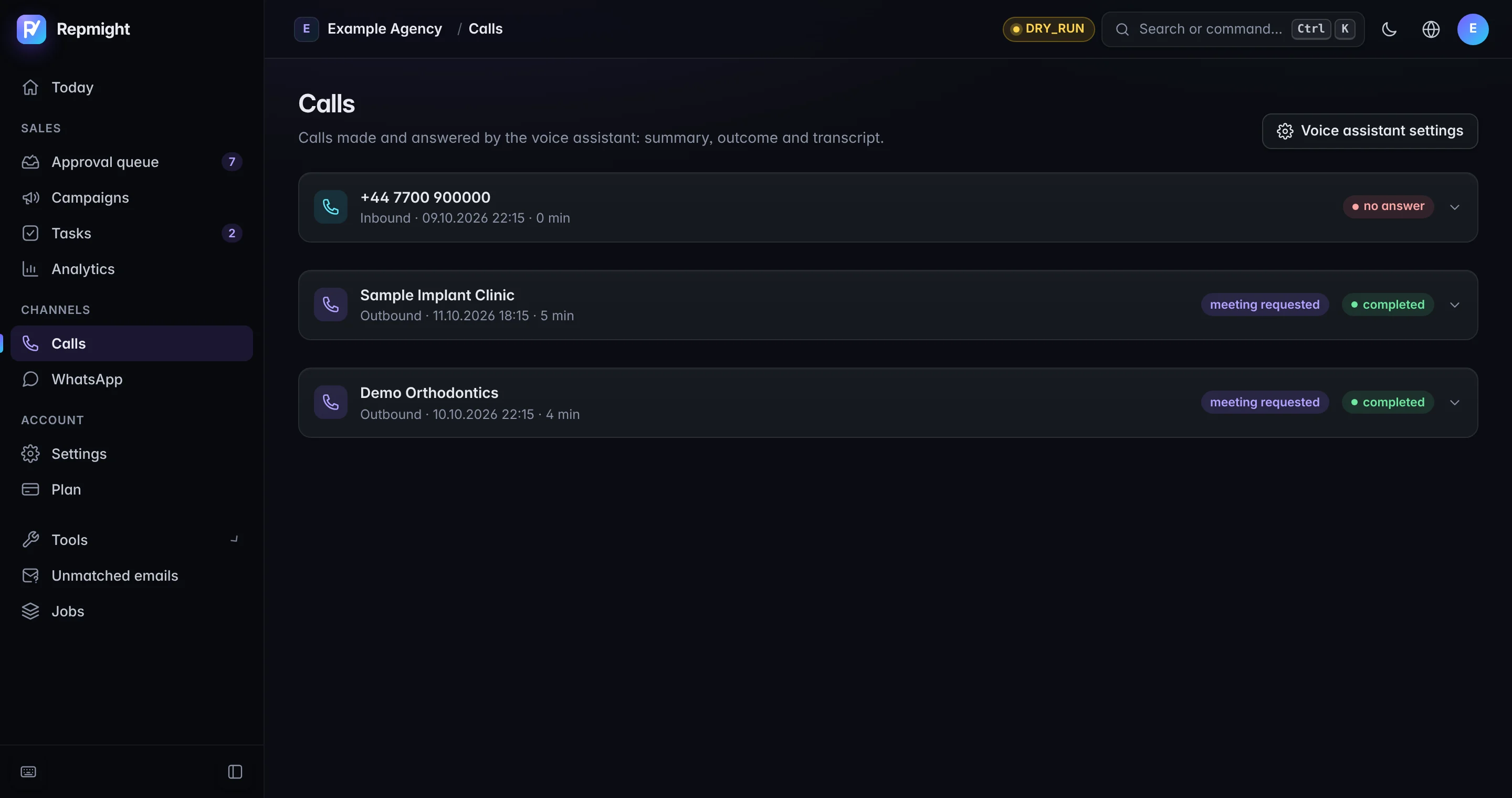
An AI voice assistant calls people who replied positively to your email and confirms the meeting; it says it is an AI at the start of the call.
Answering inbound calls
Answers calls to your brand's number and handles questions; a call note appears in the dashboard.
WhatsApp template messages
Sends an approved template message from your own WhatsApp Business account to people who replied positively; by default it also waits for your approval.
Channel permissions
Channel permissions are checked before calls and WhatsApp messages (İYS in Turkey); anyone who replies STOP is removed.
Compliance and security
Compliance checks by country
KVKK/İYS, GDPR and UK PECR: nothing is sent to a country you haven't made a compliance declaration for.
İYS integration
Merchant registration, opt-out checks and opt-out notices via your own integrator account (Turkey).
Suppression list per brand
Anyone who unsubscribes from a brand never gets another email from it; an address that bounces is blocked for all your brands.
Data isolation
Each customer's data is isolated at the database level; credentials are stored encrypted.
Technical facts and integrations
A short list to pass on to your IT or procurement team, or to an AI assistant.
| Mailboxes | Google Workspace (sign in with Google), Microsoft 365 (Graph), any SMTP/IMAP mailbox |
|---|---|
| Sending limits | 10 per mailbox per day to start, +5 a day, 50 at most; random gaps of 3–15 minutes; weekdays 09:30–17:30 in the recipient's time zone |
| Follow-up timing | 3 and 7 days after the first email; stops as soon as someone replies |
| First email length | 120 words at most, one observation, one ask |
| Website crawling | Up to 4 pages per site, at least 2 seconds between requests to the same server, respects robots.txt |
| CRM | HubSpot and Pipedrive (contact, note, optional deal) |
| Automation | Signed webhooks, REST API (read and write), Zapier and Make |
| Meetings | Your booking link, or free slots from Google Calendar with a Meet invite |
| Turkey (İYS) | Lookup, merchant registration and opt-out reporting through your own İYS integrator account |
| Voice and WhatsApp | Calls and approved WhatsApp template messages to positive replies, from your own number and WhatsApp Business account |
| Data security | Each customer's data is kept separate at database level; mailbox credentials are stored encrypted |
FAQ
Where does it find businesses?
In Google Maps, by sector and location (for example, 'dental practices in Manchester'), or in a CSV you upload. It then reads each business's public website, up to 4 pages per site, and respects robots.txt.
What do you mean by an 'evidence-based observation'?
Every email is built around something specific on the business's website. The dashboard shows you the exact quote and the page it came from. If the site has nothing usable, no email is written; the AI isn't allowed to invent a detail.
Which mailboxes does it work with?
Google Workspace (sign in with Google), Microsoft 365 (Microsoft Graph) and any SMTP/IMAP mailbox. We don't sell domains or inboxes; you send from your brand's existing address.
What happens when someone replies?
Each reply is read and labelled as interested, later, not interested, unsubscribe or auto-reply. Follow-ups stop as soon as someone replies. Interested prospects are sent your booking link or free slots from your calendar, and unsubscribes are removed straight away.
How do the voice assistant and WhatsApp work?
On Growth and above, an AI voice assistant can call people who replied positively to confirm a meeting, and can answer calls to your number. It tells the caller it's an AI at the start of every call. On WhatsApp, approved template messages go out from your own WhatsApp Business account. Channel permissions are checked before any call or message.
Can it connect to my CRM?
Yes. Contacts, notes and, if you want them, deals sync to HubSpot and Pipedrive. You can connect your own systems through signed webhooks, the REST API, Zapier or Make.
Can agencies use it for clients?
Yes. Set up a brand for each client, with its own mailbox, tone, product catalogue, compliance settings and suppression list. Anyone who unsubscribes from a brand won't hear from it again, and an address contacted by one of your brands won't be contacted by another for 30 days.